Scan or search
A USB barcode scanner or the on-screen search puts an item on the bill in one move, with a grid of the fast movers under your thumb.
 MENA PRIME
Selling, stock, customers, tabs and every report are worked out on your own device, so the counter never waits for a signal. The till sells with no internet at all — and wherever there is a connection, the day’s figures and receipts also reach the owner’s phone.
Request a demo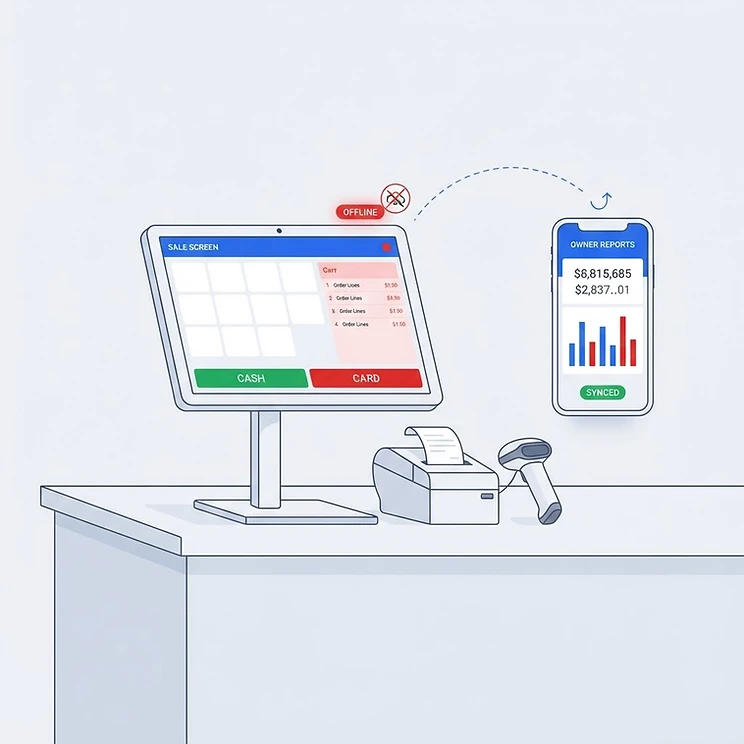
The hardware stays where the customer is — the till, the slip printer and the scanner — and every figure on it is worked out right there. The phone never touches the sale; it only receives what the till has already finished.
The counter sells with the line down
Selling, stock, staff, tabs and every report are worked out on the device itself. No signal, no waiting: the sale goes through and the slip prints.
The figures reach the owner’s phone
Wherever there is a connection, the day’s takings and the receipts behind them are sent up — so the owner reads today from anywhere, while the till keeps selling.
Your business
Barcode scanning at the counter, labels printed from the till, and stock behind every tile.
From the barcode to the payment: the bill is built fast and settled any way the customer wants.
A USB barcode scanner or the on-screen search puts an item on the bill in one move, with a grid of the fast movers under your thumb.
Size, colour or flavour is picked at the counter, and the right price and stock follow the spec you chose.
An amount or a percentage, on one line or the whole bill, entered on a touch keypad.
Divide a bill between guests however you like — cash, card or on account, part paid now and the rest later.
A code in, a code out — read at the counter, and printed for the shelf.
Any USB barcode scanner works with no setup: it reads the code, the item lands on the bill, and the box is ready for the next one.
Print EAN-13 pack labels and shelf labels from the till — the shop’s name, the price, and the barcode the register reads back.
Search by name, key a price for something off the catalogue, or file a new item on the spot when a scanned code is not on the till yet.
What is on the shelf is counted as it moves — by the piece and by the kilo.
Every sale takes stock down and every delivery puts it back, so the quantity on the shelf is always current.
Weighed goods priced per kilo: scan a scale label or key the weight in, and stock moves in kilos to three decimals.
Set your scale’s prefix and PLU, then print shelf labels and EAN-13 pack labels from the till.
Record what came in and what went back; the item’s cost updates from what you paid, and its price history is kept.
Who buys from you, what they owe you, and a statement to prove it.
Names, phone numbers, visit count and what each customer spends — kept with the rest of the shop.
Park a bill on a customer’s account and collect against what they owe whenever they settle.
A running-balance statement for any customer: every charge, every payment, and how long the balance has been owing.
Everyone opens the till with their own number, and the owner keeps the keys.
Each person opens the register with their own PIN, and the sales they ring are recorded against them.
Inventory, reports, staff and settings open on the owner PIN alone.
Set how long the register waits with no activity before it locks itself.
Choose what each staff member may open once they are in.
The numbers an owner needs, printed on paper or saved to a file.
Takings, profit, best sellers and how the days are running, over the range you pick.
Sales by period, profit and loss, VAT, margins, stock value, staff, voids, purchases, customer credit and expenses — printed or saved for your accountant.
Close the day and print its report, with the drawer count and every payment method on it.
The owner reads the shop from wherever they are, without standing at the till.
A private page opens on the owner’s own phone — nothing to install. Enter the business code and the shop’s figures come up; each business has its own code.
Takings, transactions, payment methods, the drawer and the best sellers, day by day, as the till trades them.
Search by receipt number, customer name or date and read the whole bill — items, totals, payments, and any correction made at the counter.
An online till sends its day and receipts up quietly in the background; Sync on the sale screen sends them there and then.
Paper from the same roll, and every station printing where it stands.
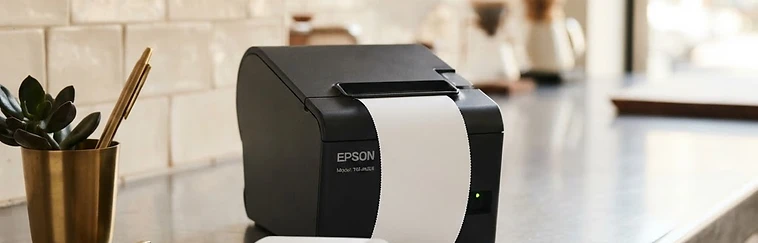
Customer receipts, pre-bills and day reports printed straight to a USB or network thermal printer.
A sale prints the moment it is rung, or waits on screen to be looked over first — whichever the shop prefers.
Give each slip its own printer: the counter’s receipt, the kitchen’s ticket, the guest’s pre-bill.
The drawer opens from the till, and what is in it is counted by the till.
It kicks open the moment a sale is settled — or from the header when the counter needs it with no sale in front of it — over the printer’s own cable or the network.
The opening float, money put in and taken out through the day, and the count at the close, all recorded against the day.
Cash taken, expected in the drawer, counted and any variance — on the X report mid-day and on the Z report when the day is closed.
The device is the system: no subscription, no server in the middle, and selling that carries on when the line goes down.
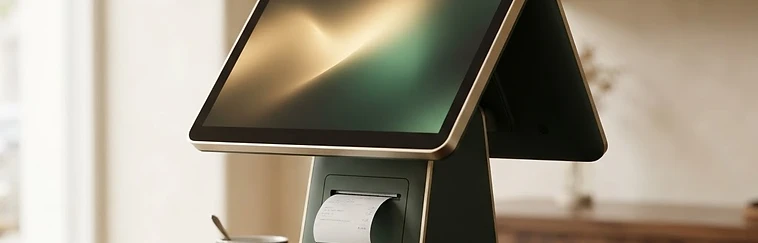
Everything happens on this device, so the till keeps taking money even when the line goes down.
Sales, stock and customers are stored in the device’s own storage, not on somebody else’s server.
The whole shop is written into a folder you choose — after every sale, every fifteen minutes, and when the day is closed.
Set the shop, the staff, the catalogue and the printer up once, then sell with no network at all.
Three steps on the first day.
Open the link on the till device and install the app. After that it sells with no internet.
Shop details, staff PINs, the item catalogue and the printer — all on the device.
Scan, take payment, print, and close the day with its report.
Tell us who you are and we will walk you through the till — at a time that suits you.

